


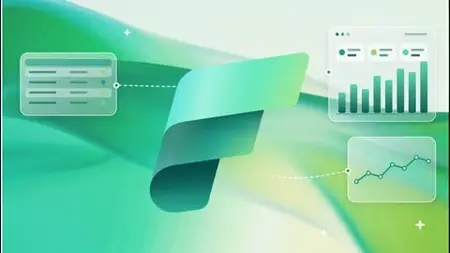
Mastering Microsoft Fabric Apps
Mastering Microsoft Fabric Apps
MP4 | Video: h264, 1920x1080 | Audio: AAC, 44.1 KHz, 2 Ch
Level: Beginner | Genre: eLearning | Language: English | Duration: 28 Lectures ( 4h 22m ) | Size: 2.2 GB
Go beyond Power BI reports: build interactive, branded web apps on your semantic models hosted on Microsoft Fabric
What you'll learn
Scaffold a Microsoft Fabric App using Rayfin
Connecting a Fabric app to a Power BI semantic model
Auditing a semantic model before building on it
Building visuals with Vega-Lite
Lay out a responsive dashboard using Natural Language
Deploying your app to Microsoft Fabric
Turning an Existing Power BI report into app features
Requirements
No web development experience needed. Some familiarity with DAX would be useful
Description
Turn your Power BI semantic data into a real web app, without leaving Microsoft FabricIf you work with Power BI, you know how much effort goes into a good semantic model: clean tables, trusted measures, relationships that make the numbers add up. But a report isn’t always what your users need. Sometimes you need an app: your own branding, a custom layout, the ability to write back to a data source, interactions designed for the people using it.Microsoft Fabric Apps let you build exactly that. Your app runs inside Fabric, signs users in with their Fabric accounts, and reads live data straight from the semantic models you already have. There are no extracts to maintain and no second copy of the data to keep in sync.In this course, you’ll build a complete sales app from scratch using the Wide World Importers sample, a fictional wholesale company with four years of sales data. Step by step, you’ll:Set up a Fabric App project and connect it to a semantic model in your workspace.Review the model before building on it, and learn to spot the flaws that quietly produce wrong numbers.Create the visuals your users expect: KPI cards, a drill-down matrix with conditional formatting, and combined column-and-line charts.Add an employee filter that updates every visual on the page at once.Design a polished, branded layout with multiple pages, light and dark modes, and a design that works on any screen size.Deploy your app to Fabric and share it with your organization.Along the way, you’ll see the problems real projects run into, and how to solve them. These include sign-in issues, capacity errors, and requirements that don’t match the data. You’ll also see how an AI coding assistant can speed up the work, and why you still need to understand what it builds.Who this course is forThis course is for Power BI developers, data analysts and BI professionals who want to go beyond reports. You should be comfortable with Power BI and have a basic understanding of DAX. You don’t need to be a web developer: every step is explained, and the focus stays on the decisions that matter rather than on code for its own sake.What you’ll walk away withBy the end, you’ll have a working, deployed Fabric App, and the confidence to build the next one for your own data. You’ll know how to connect to a model, query it correctly, present the results clearly, and ship something your colleagues will actually use.Your data already tells a story. Let’s build the app that tells it.
Anyone wanting to learn how to build plain and semantic model based web apps for Microsoft Fabric